Mounting & installation · 3 min read
Moving a mounted TV? Define the work at both walls
Moving a television across the room creates work at two locations. The old wall may need repairs, while the destination needs its own mounting and connection assessment. Before requesting a price, describe the result you want at each wall, including where the equipment will go.
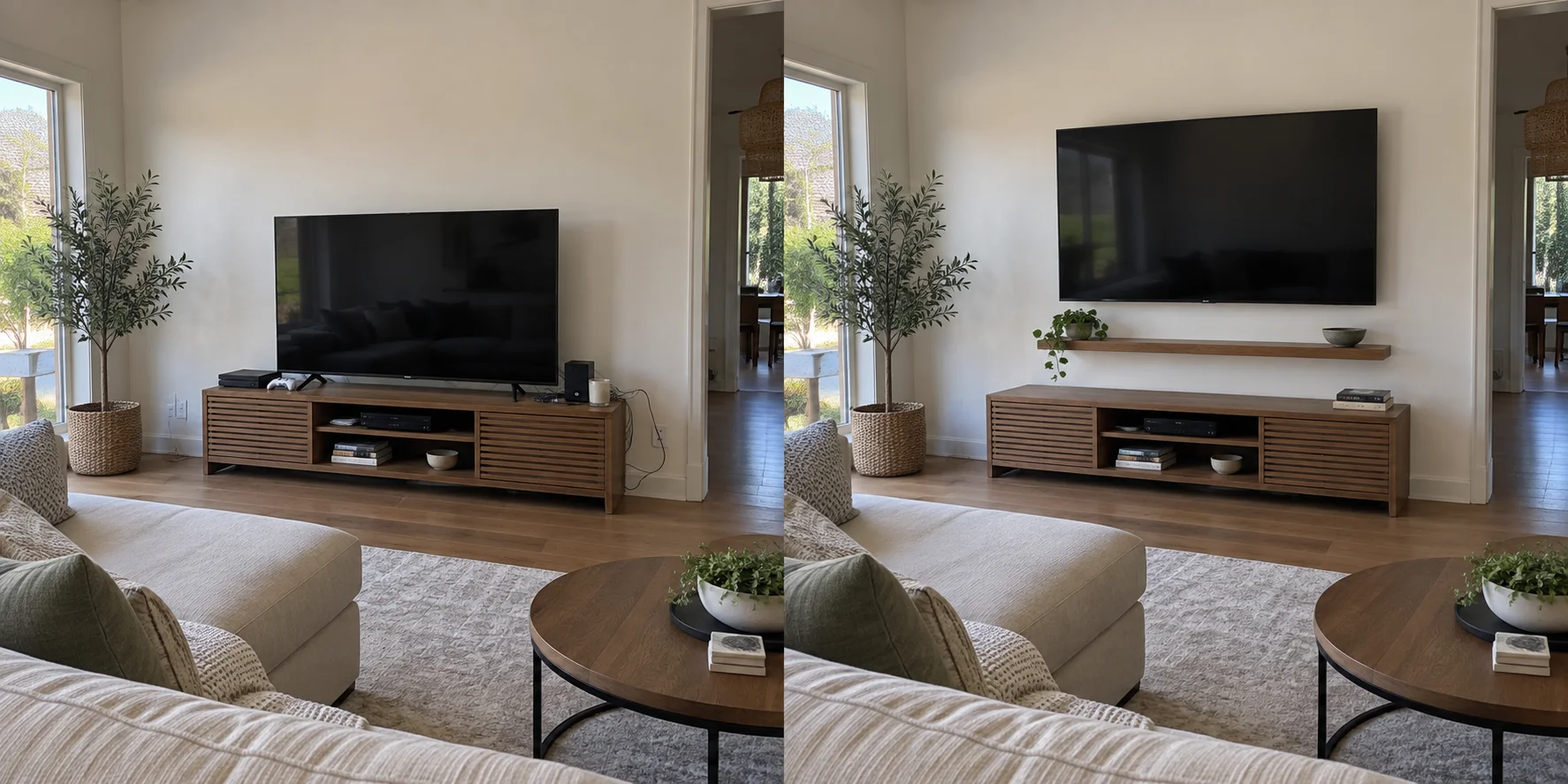
Define what remains at the old location
Identify the bracket, cable covers, shelves and accessories to remove or leave. Include visible cable openings as well as mounting holes. A request to remove the TV does not explain whether the wall should be patched, textured, primed or painted.
Specify the painted area and supply any existing paint records. Use the related touch-up guide to discuss the finish; do not make an invisible spot repair the assumed outcome. Photograph the wall before removal and review newly exposed damage afterward.
Confirm that the mount can move
Find the mount model and its manual before scheduling removal. Reuse is not automatic: the SANUS VuePoint F62 manual prohibits reusing that product after its wall plate is removed. That is a model-specific restriction, so check your own instructions rather than judging by appearance.
Have the installer assess the destination wall and the existing mount's condition and permitted use there. Do not assume removed wall anchors or fasteners can transfer. Keep the mount's components together; identify missing brackets, spacers, locking pieces or other model-specific parts against its parts list. SANUS directs F62 owners to customer service for missing or damaged parts and says never to use damaged parts.
Move the connections as a complete system
List the streaming box, console, receiver and soundbar, marking each as moving or staying. Before disconnection, record which device uses each TV input and note any existing picture or sound problem. Keep remotes and power supplies with their devices.
Ask for the new cable route and required lengths to be assessed. Existing concealed wiring does not establish a usable route to another wall. Identify surface covers, cable replacement and any electrical alterations separately; have the latter assessed by an appropriately qualified provider.
Agree on the sequence and final checks
Decide where the screen will be protected between removal and reinstallation. If wall finishing needs another visit, record who returns and what remains unfinished. Send Coast & Craft photos of both locations, model details and this handover list with your request.
- Confirm the agreed screen position and have the installer verify the mount's securing mechanisms.
- Check picture, sound and control operation for each relocated device.
- Have cable clearance checked through any intended screen movement.
- Review old-wall repairs, cleanup, retained parts and any outstanding finishing work.
Sources & product details
Manufacturer instructions for your exact product take precedence over general planning guidance.